 BoxDiegen
· Auto Bottom Box
BoxDiegen
· Auto Bottom Box
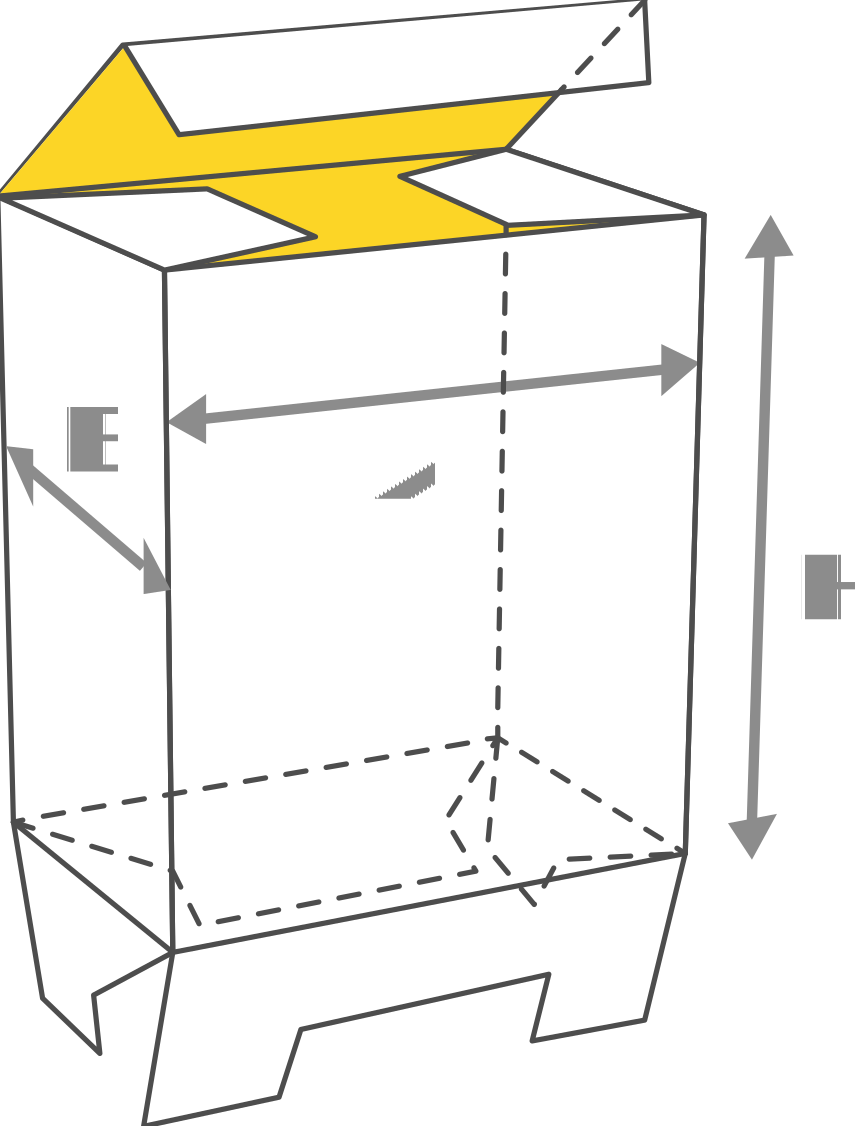
Lock Bottom Boxes (1-2-3 bottom boxes) are specially designed for versatile use. Quick loading (3 steps) and easy assembly.
An auto bottom box gives you a tuck top carton with a base that locks itself together, so packing is faster and the bottom is stronger. This generator creates the dieline in your exact size, with lock bottom and crash bottom options, and exports it free as PDF and SVG.
An auto bottom box is a folding carton with a normal tuck closure on top and a self-locking base. In the lock bottom version, shaped flaps on the bottom panels fold and interlock by hand in a few steps, with no glue at all. In the crash bottom version, the bottom flaps are glued in advance by the printer, so the base pops into its locked shape automatically when you open the flat carton. That is why crash bottom cartons are also called auto bottom boxes.
The reinforced base carries weight better than a plain tuck bottom and does not risk popping open under a bottle or jar. The carton still ships and stores flat, folds up in seconds, and closes at the top with a standard tuck flap. It is a popular upgrade from the tuck end box whenever the product is heavy, tall or packed in large quantities.
Auto bottom cartons are usually chosen for bottles and jars. These popular sizes are a good starting point.
| Size (W × D × H) | Typical use |
|---|---|
| 55 × 55 × 140 mm (2.2 × 2.2 × 5.5 in) | Cosmetic pump and serum bottles |
| 60 × 60 × 160 mm (2.4 × 2.4 × 6.3 in) | Sauce and syrup bottles |
| 70 × 70 × 180 mm (2.8 × 2.8 × 7.1 in) | Olive oil and drink bottles |
| 80 × 80 × 120 mm (3.1 × 3.1 × 4.7 in) | Jam, honey and food jars |
| 100 × 100 × 200 mm (3.9 × 3.9 × 7.9 in) | Large bottles and kitchen canisters |
Heavier products deserve thicker board. A full glass bottle is usually packed in 350 gsm paperboard or a light corrugated board, and the stronger base of this style spreads the load across all four bottom flaps. Match the material setting to your board so the locking flaps meet exactly.
The red line is the cut line, the green dashed line is a fold and the blue dotted line is a perforation. Print at 100 percent scale and assemble a test box before production, and place your heaviest product inside to confirm the base holds. Keep artwork a few millimetres clear of cut and fold lines.
What is the difference between lock bottom and crash bottom?
A lock bottom base is folded and interlocked by hand when you pack, with no glue involved. A crash bottom base is glued flat by the printer in advance, so it snaps into shape on its own when you open the carton. Crash bottom is faster on a packing line, lock bottom is simpler for short runs.
Is the auto bottom generator free to use?
Yes. It is free, with no signup and no download limit. Create as many sizes as you need and export them as PDF or SVG.
How much weight can an auto bottom box hold?
It depends on the board, the size and how well the base is folded or glued, so no single figure applies to every box. The locked base is much stronger than a plain tuck bottom, and using thicker board raises capacity further. Always test with your real product before a production run.
Should I enter inside or outside dimensions?
With the Inside size toggle off, your values are the outside size of the finished box. Turn it on when the product must fit a known inside space, and the generator adds the material thickness automatically.
Which material should I choose for glass bottles?
Start with 350 gsm paperboard for small bottles, and consider light corrugated board from the material list for large or heavy bottles. Set the same thickness in the generator so the bottom flaps are sized correctly.
Can I use this dieline for commercial production?
Yes, you can use it for your own products and client work, including commercial print runs. Fold and load a test box first to confirm the base and the fit.
Tuck End Box · Cake Box Auto Bottom · Mailer Box · Frame Tray